
Download netSupervisor – network monitoring, device detection, port scanning, network security, network diagram
Overview
netSupervisor is a network administration tool designed to provide comprehensive oversight and control over computer networks. The application enables users to detect and manage connected devices, monitor network health, and identify potential vulnerabilities. It serves as a utility for IT professionals, system administrators, and network engineers who require reliable tools for maintaining network stability and security. The app’s primary purpose is to streamline network diagnostics, enhance visibility across wired and wireless infrastructures, and support proactive issue resolution.
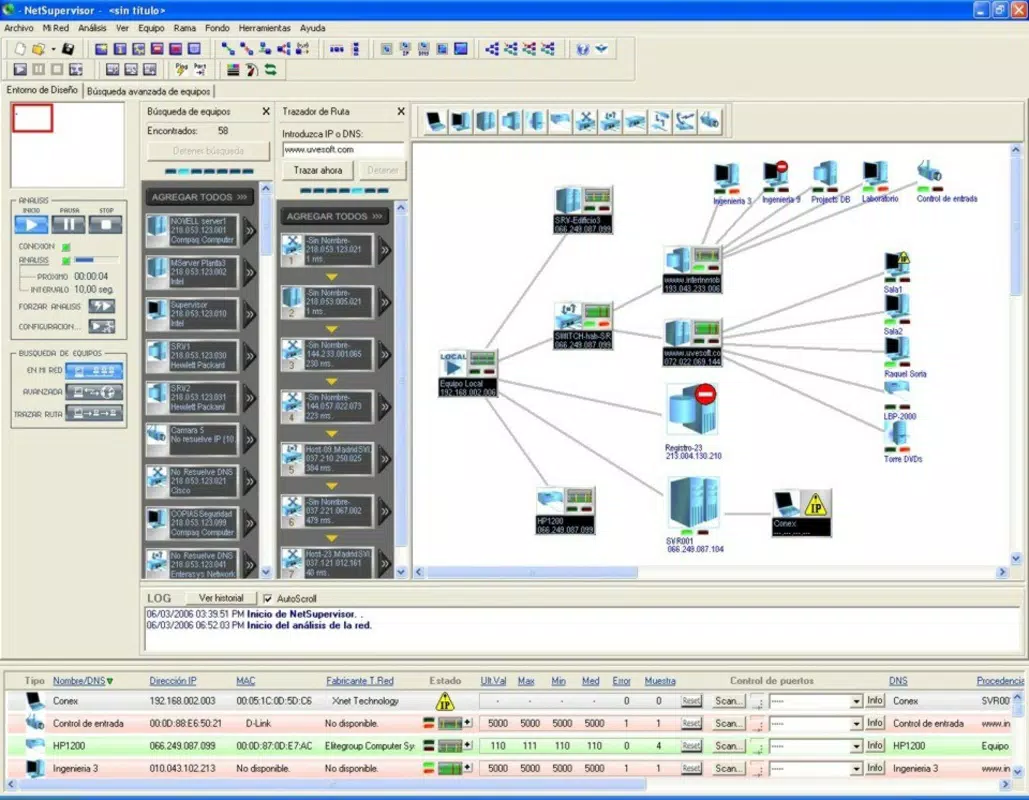
By offering real-time device detection and graphical representation of network layouts, netSupervisor helps users visualize complex network topologies. This capability is particularly valuable in environments where multiple devices—such as printers, routers, security cameras, and servers—are interconnected. The tool assists in identifying unauthorized or rogue devices, ensuring that network access remains secure and compliant with organizational policies.
Although the developer did not provide additional technical details about the company or its background, the app has been available since 2007, indicating a long-standing presence in the productivity software space. Its continued relevance suggests a stable and functional core design. netSupervisor is especially useful in small to medium-sized business settings, educational institutions, or any organization managing mixed network environments. The ability to scan both wired and wireless networks makes it adaptable to evolving infrastructure needs.
Key Features & Functionality
- Device Detection: netSupervisor performs network scans to identify all devices with assigned IP addresses. This includes common hardware such as printers, routers, hubs, and surveillance cameras. The feature helps administrators maintain an accurate inventory of connected assets and detect unexpected or unauthorized devices.
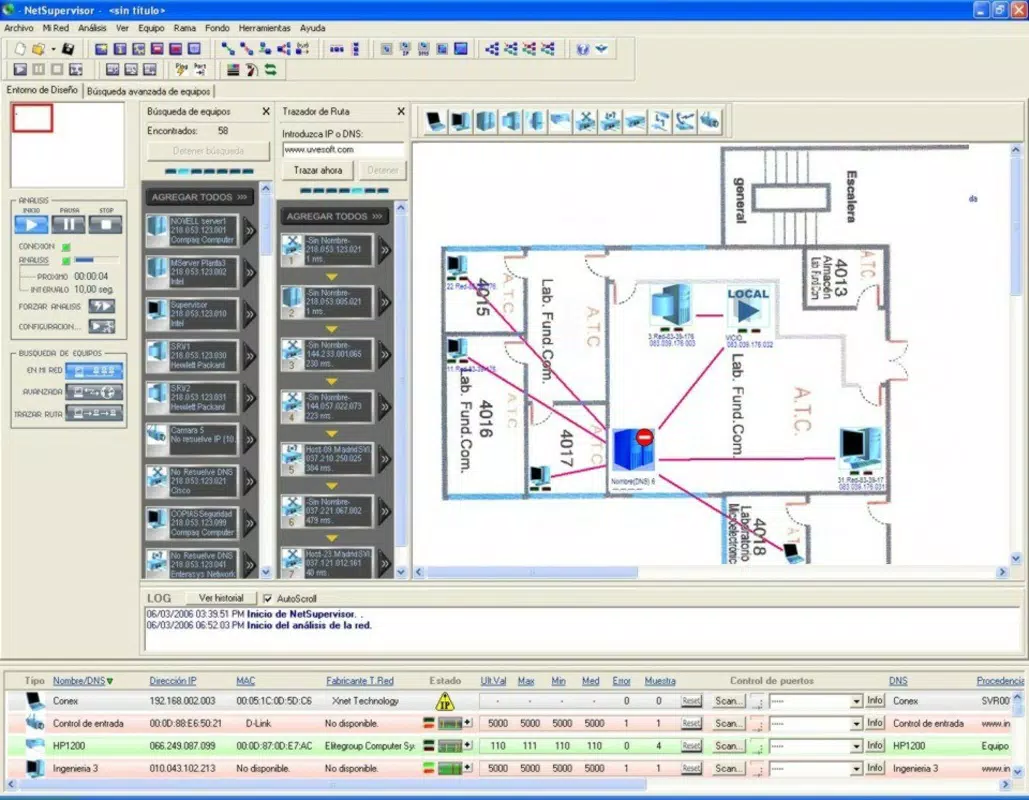
- Graphical User Interface: The application includes a visual interface for creating detailed network diagrams. Users can map out their network structure, display device properties, and highlight connection errors. The ability to add custom background images improves clarity and aids in documentation and troubleshooting.
- Port Scanning Tool: This functionality enables administrators to scan open ports across networked systems. By identifying accessible ports, users can assess potential security risks and apply necessary patches or firewall rules to prevent exploitation.
- Error Resolution Capability: When anomalies or connectivity issues are detected, netSupervisor allows users to initiate corrective actions directly within the interface. This reduces downtime and supports faster recovery during network disruptions.
- Support for Both Wired and Wireless Networks: The tool is compatible with diverse network types, making it suitable for environments with hybrid infrastructure. This flexibility enhances its utility across different deployment scenarios.
For example, a network administrator in a school could use netSupervisor to detect unauthorized devices on the Wi-Fi network, create a visual map of classroom computers and printers, and scan for open ports on servers to ensure compliance with security standards. Similarly, a small business IT manager might use the tool to monitor network performance and respond quickly to outages.
Interface, UX & Performance
netSupervisor features a graphical user interface that emphasizes clarity and functionality. The layout is structured to prioritize network visualization, with tools for diagram creation and real-time monitoring. Navigation is likely intuitive, allowing users to access scanning functions, view device lists, and modify network maps without requiring extensive training.
The visual design supports customization, enabling users to enhance diagrams with background images and color-coded indicators for device status. This improves usability in documentation and presentation contexts. Although the developer did not list formal performance metrics, the app’s file size of 1.4 MB suggests a lightweight footprint, which typically correlates with efficient resource usage.
Performance on different device categories was not specified. However, given its long-standing release date and minimal size, it is likely optimized for older Windows systems. Responsiveness and stability are expected to be consistent, especially in controlled network environments. Users may experience smooth operation on systems meeting basic Windows requirements. The absence of reported crashes or bugs in the provided data implies a stable runtime experience.
Platform Compatibility & Technical Requirements
netSupervisor is available exclusively for the Windows platform. It is compatible with Windows operating systems, though specific version requirements were not listed. The application has a file size of 1.4 MB, which indicates a compact and lightweight installation. This small footprint suggests minimal impact on system resources during operation.
Although the developer did not specify minimum OS requirements, the app’s release date of 2007 implies compatibility with older Windows versions, such as Windows XP or later. Users should verify system compatibility before installation. No additional hardware or software dependencies were mentioned. The app does not require cloud integration or internet access to function, which supports offline use in secure environments.
Pros and Cons
Pros
- Lightweight file size (1.4 MB) ensures quick installation and minimal system impact.
- Supports both wired and wireless network environments.
- Offers real-time device detection and network diagramming capabilities.
- Includes a built-in port scanning tool for security assessment.
- Designed for proactive network troubleshooting and error resolution.
Cons
- Platform limited to Windows; no support for Android, iOS, or other mobile operating systems.
- Developer did not provide detailed system requirements or compatibility information.
- App was released in 2007, which may raise concerns about modern security and feature support.
- Price point of $49.95 may be considered high for a tool with limited recent updates.
- No mention of automatic updates or cloud-based collaboration features.
FAQ
Is netSupervisor compatible with modern Windows versions?
The developer did not specify compatibility with current Windows versions. However, its release date of 2007 suggests it may work on older systems. Users should verify compatibility with their specific OS.
Can I use netSupervisor on mobile devices?
netSupervisor is designed for Windows desktop systems. There is no official mobile version available for Android or iOS devices.
Does netSupervisor require an internet connection?
Based on the available information, the app does not require an internet connection to perform local network scans and diagnostics. It operates independently within the local network environment.
How often should I update netSupervisor?
The developer has not provided information about update frequency or release schedules. Users should check the official source for potential updates or patches.
Is netSupervisor secure to install and use?
While no security vulnerabilities were reported in the provided data, users should download the app from official or trusted sources to ensure integrity. The app does not appear to collect user data, but caution is advised when installing software from less-known vendors.
Final Thoughts
netSupervisor remains a functional tool for network monitoring and diagnostics, particularly suited for users managing mixed wired and wireless networks on Windows systems. Its ability to detect devices, create visual network diagrams, and perform port scans offers tangible benefits for small to medium-sized organizations. Despite its age and lack of modern features, its lightweight design and focused functionality continue to serve specific use cases.
However, users should consider its limitations—especially the absence of mobile support and potential compatibility issues with newer Windows versions. The $49.95 price tag may be difficult to justify without clear evidence of ongoing support or updates.
For IT professionals who need a reliable, no-frills network scanner and diagramming tool, netSupervisor presents a viable option. If you're managing a network and require basic monitoring and security checks, this tool could meet your needs.
Download netSupervisor now


